
Product detail page
Give shoppers a rotatable product view alongside the information they already use to decide.
3D product visualization
Neyvo3D is a 3D product visualizer for teams that need an inspectable starting point from one clear front image. Rotate the example, then decide where the resulting model belongs in your workflow.
One model, many surfaces
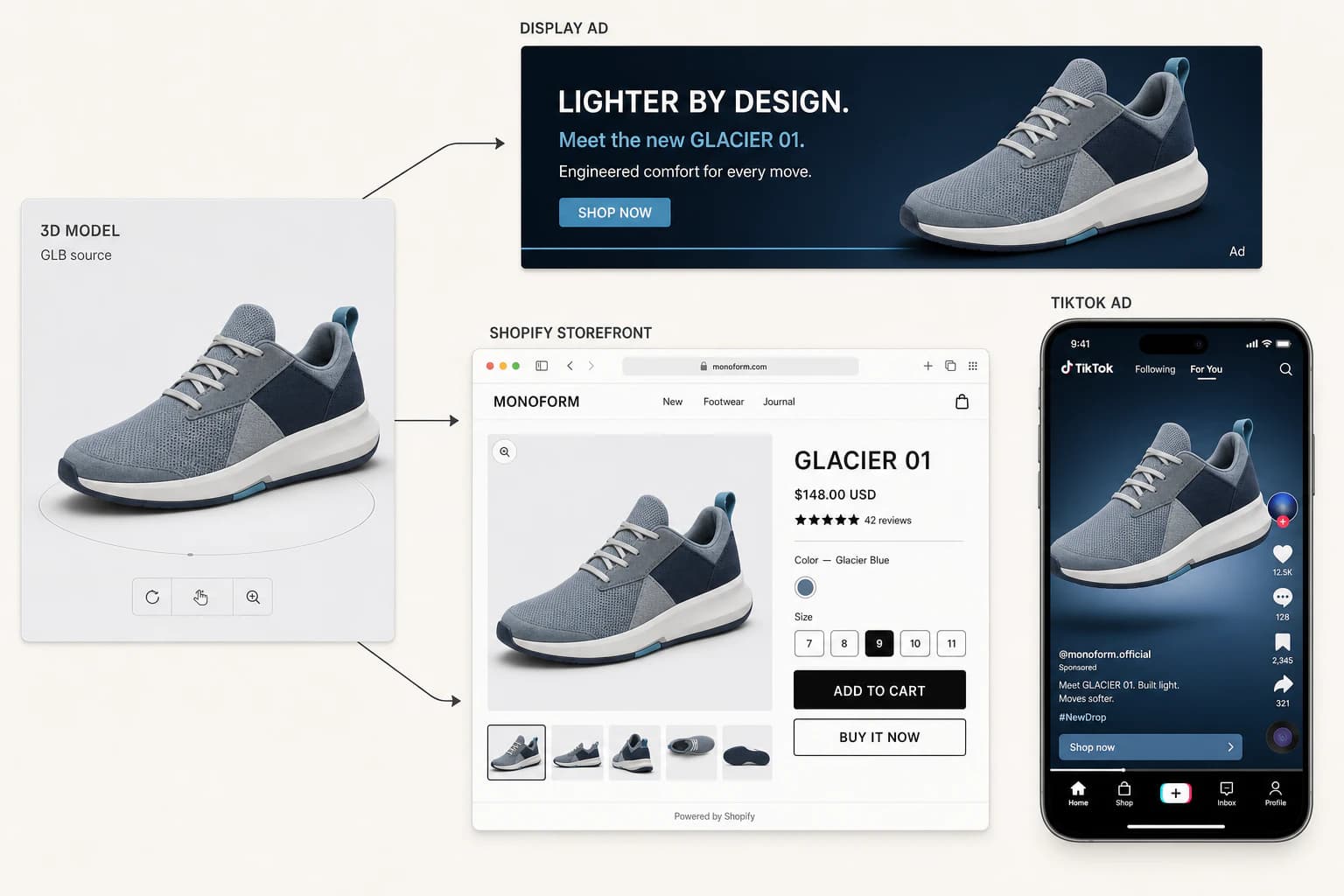
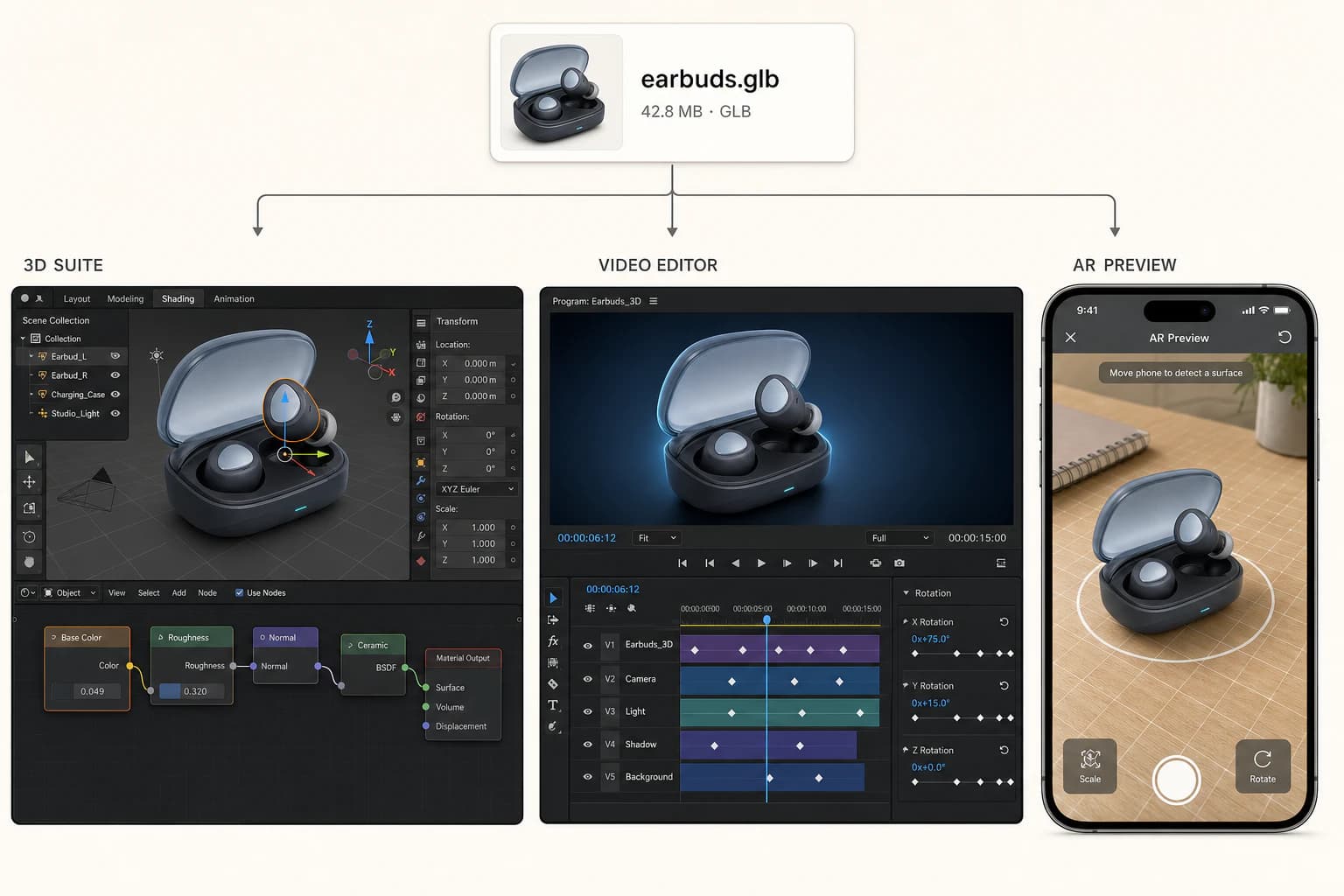
A model can support an interactive product detail page, an independent storefront, campaign creative, and later work in compatible 3D, video, or AR software. Export it for the tools and channels you choose.
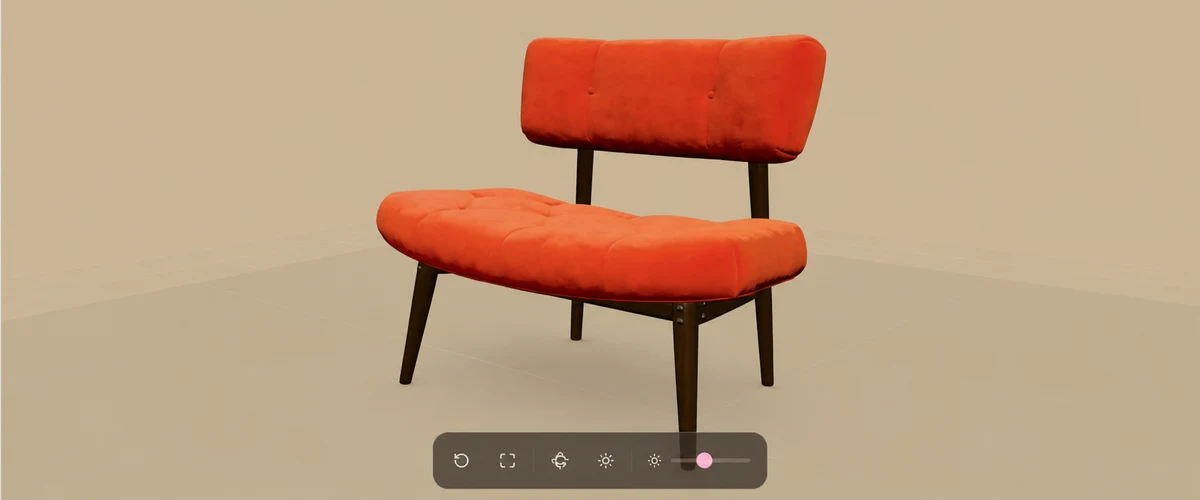
Give shoppers a rotatable product view alongside the information they already use to decide.
Bring the exported file to the store stack you run; Neyvo3D does not publish it to a platform for you.
Reuse a single product asset while adapting the surrounding composition for launch and editorial work.
Take a delivered GLB into compatible creative software for further retouching, animation, or scene work.
Who it is for
Add an interactive asset to the product story without making a full 3D production workflow the first step.
Start a campaign asset from the product image you already have, then adapt it in the software you use.
Prepare a model for a storefront experience while keeping control of your own site and publishing choices.
A focused workflow
Frame one product fully against a simple, contrasting background with even lighting.
Submit a Generation Catalog option, then rotate and zoom the completed result in the browser.
Use the model access available to your account and bring eligible delivered assets to compatible tools.
Delivery and access
Every completed model can be inspected interactively in the browser. Access to model files depends on the generation access attached to the model.
A transparent starting point
Single-View generation uses evidence from a front image. It is useful when you need a product model to inspect and develop, but it is not a substitute for measurement or a multi-view capture process.
How to choose the right route
Traditional modeling and single-image generation solve different problems. The useful comparison is the type of source material and the review you need—not an assumed time or return on investment.
Reference photography, measurements, and a modeling brief.
One clear front product image.
Controlled, bespoke assets and workflows needing deliberate manual construction.
An inspectable product-model starting point for digital product visualization.
Depends on the brief, source materials, and production review.
Requires review because unseen areas and depth are inferred from one view.
Defined by the production team and its tools.
Interactive preview; eligible access includes GLB files for compatible tools.
Before it reaches a surface
Explore the product
Create a model, inspect the result, and choose the next step that fits your product and your production workflow.